Forum › Forums › antiX-development › Graphics › Light weight screenshot and annotate combo › Reply To: Light weight screenshot and annotate combo
 ile
ileHello BobC and everyone
What is your style. What are your favorite annotating symbols?
A heart? a plus sign?
Maybe you use your least favorite correction symbols the most. ,
Something not on the keyboard, arrows? daggers. smilies.
By creating a register of text symbols
from the unicode chart
of “My Favorite Annotating Symbols”
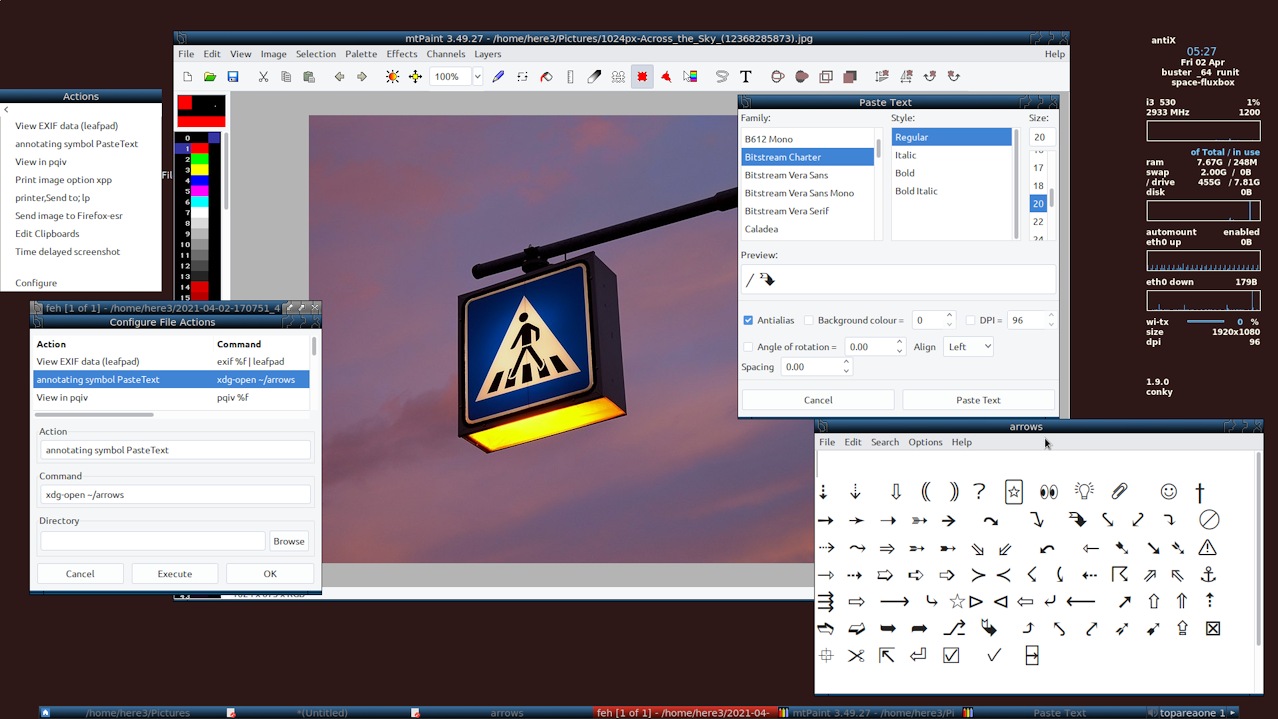
in this example is pasted from chart into leafpad saved as “arrows” in /home/user/
add a shortcut in the mtpaint Actions menu for opening the file /arrows
brings the symbols available for PasteText feature in mtpaint.
copy and paste your symbols into the PasteText box. [single character] PasteText.
paste symbols, arrows. size with font size in text box. colorize, placement, manipulate with mtpaint. annotate with your favorite symbols. The text will become image.
Wish you an all-smilies and stars annotation day.