Forum › Forums › News › Announcements › antiX-bullseye-beta1 iso files available. 64 bit only › Reply To: antiX-bullseye-beta1 iso files available. 64 bit only
 Wallon
Dear Xecure,
I found the solution with the new Antix Installer.
So I’m still trying to pretend I don’t know anything about Linux.
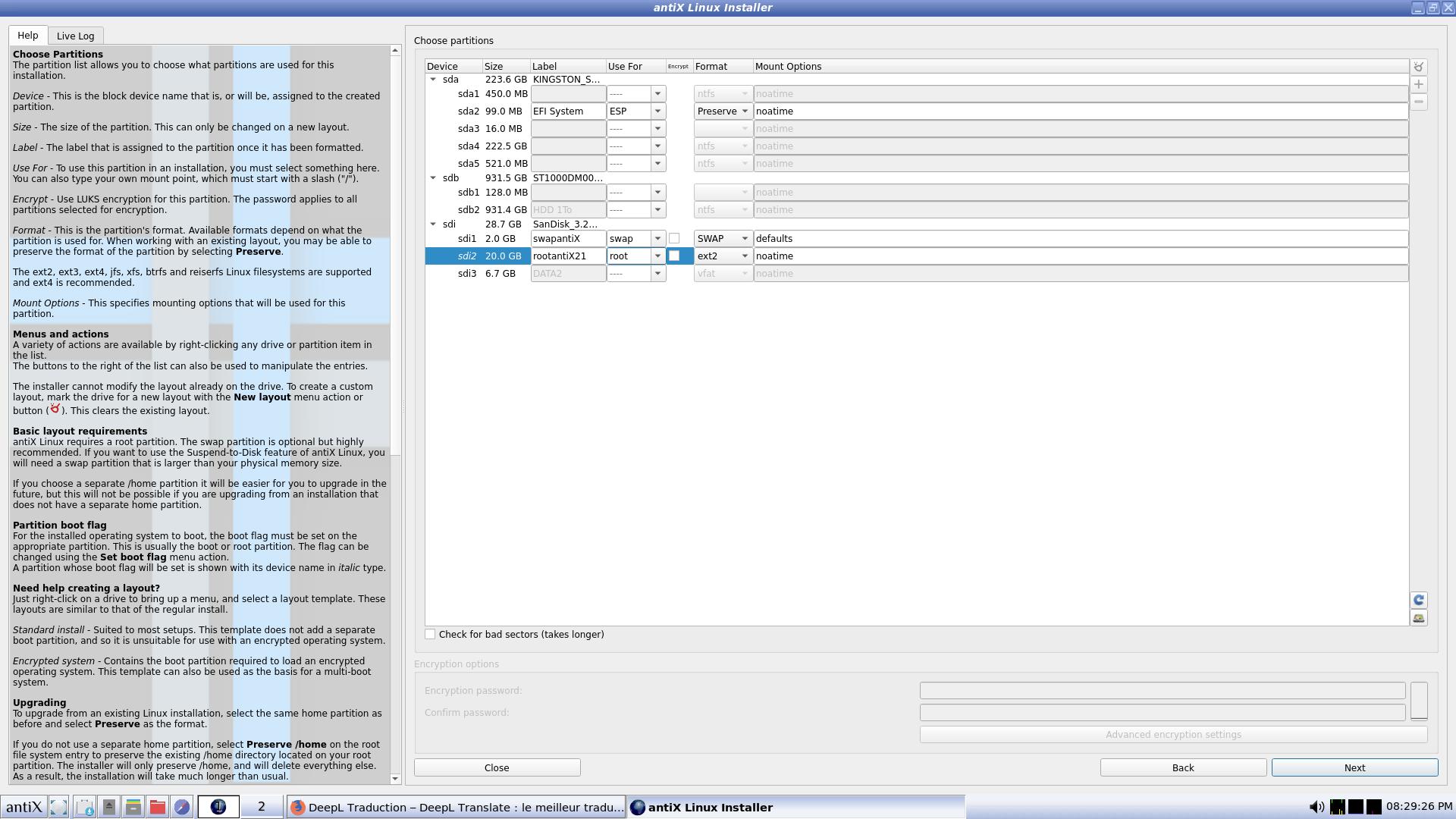
I always do a manual installation and choose;
1) my second USB key to do the installation,
2) the SWAP physical partition on the second USB key (sdi1 in my case),
3) the ROOT physical partition on the second USB key (sdi2 in my case).
I checked that the GRUB is always installed on my second USB key and never on the internal SSD in (U)EFI mode.
The new Antix Installer selects my internal SSD drive to do a (U)EFI install. (The sda2 in my case).
First solution, in the “Use for” column, you have to put a blank on the internal SSD line and the new Antix Installer will automatically install the Grub on my second USB key (ROOT partition).
Second solution, put manually the mount point with a slash “/” instead of the word “Root”. The Grub will also be installed on the second USB key.
As my MSI motherboard doesn’t allow me to erase mount points on my internal SSD, I don’t like to do a (U)EFI installation. I’ve seen AMD motherboards that have a utility in the “Bios” to very easily erase mount points.
Sincerely,
Wallon