
Forum › Forums › antiX-development › Graphics › BlueDay Huge Remastered
- This topic has 7 replies, 3 voices, and was last updated May 28-4:17 pm by anti-apXos.
-
AuthorPosts
-
April 14, 2026 at 12:40 pm #201724
anticapitalX
Memberpreviously I never used Huge themes , but in my new laptop screen , the default resolution is 1920*1080 and even BlueDay-Large is small for my tired eyes , So I used BlueDay-Huge . and encountered some issues
“Bluday-Huge-Default.png”
As you can see Some Icons are not properly follow the huge philosophy (they can’t)
So I have Changed Some Icons properties to double size , and here is BlueDay-Huge Remastered :
“Bluday-Huge-Remastered.png”
As you can See for applications menu and window menu , now properly are HUGE .
What Can I do for System-tray , to be Huge properly?
“What To do about systray?.png”
Thank you .Attachments:
Let's accept antiX as it is
Pure and Elegant by its natureApril 15, 2026 at 2:03 am #201787Xunzi_23
MemberOn ICEWM you can set the config to show large icons on mouseover.
As I am no longer a hawk eyed person I find it very useful.
Lines 91 to 917 in a standard /home/demo/.icewm/preferences opened in geany# Delay in ms before tooltip window is displayed. ######### TOOL TIP DELAY
ToolTipDelay=500 # [0-5000]# Show an application icon in toolbar and tray tooltips. ######### TOOL TIP POPUP ICON ON OFF
ToolTipIcon=0 # 0/1below may also be useful
#If ToolbarIconZoomSize=64 64×64 sized icon and title
ToolbarIconZoomSize=8For above thanks to BobC and ICEWM Devs.
https://github.com/gijsbers especiallyApril 21, 2026 at 3:03 pm #202260anti-apXos
MemberThere are IceWM preferences to change the size of systray icons
TrayIconMaxHeight=24
TrayIconMaxWidth=32
If an icon theme just doesn’t have a particular icon at a higher resolution (which is common for the panel icons used in the systray), then it will be scaled and blurry.
You can also make IceWM’s system status graphs taller using
TaskBarGraphHeight=20If you also want to make the status graphs wider, you need to set each one separately, I think.
TaskBarAPMGraphWidth=10
TaskBarCPUSamples=20
TaskBarMEMSamples=20
TaskBarNetSamples=20
Any of these preferences can be added in the theme file itself if they’re not already there. Or they can be set in the prefoverride file.
- This reply was modified 5 months, 1 week ago by anti-apXos.
"--"
May 7, 2026 at 2:30 pm #203774Memberthank you @anti-apXos for contributing to this effort .
I have set this preferences in my prefoverride file .
TrayIconMaxHeight=60 # [16-128]

TrayIconMaxWidth=46 # [16-128]

TaskBarGraphHeight=50 # [16-1000]

TaskBarApmGraphWidth=50 # [1-1000]

TaskBarCPUSamples=50 # [2-1000]

TaskBarMEMSamples=50 # [2-1000]

TaskBarNetSamples=50 # [2-1000]
and this is how the icewm-panel looks like now .
graphs are very well followed by the HUGE style .
but systray still have some issues .
the only app that got HUGED in systray , is telegram .
as you can see barrier cmst volumeicon and country flag are still too small .
for now i am applying this modifications to prefoverride .
once everything got fixed i will port them to Blueday-Huge theme itself[extra observation] after doing this i can see country flag have a darker background for itself . so weird
Attachments:
Let's accept antiX as it is
Pure and Elegant by its natureMay 7, 2026 at 2:38 pm #203776Memberanother observation .
App-select , ZZZfm , Magnus , (and maybe more) , they all have the same icon in the icewm-panel .
I forgot to report this in the alpha and beta reports of antiX-26 .
I wish this is going to be fixed in the next updates of antiX .Attachments:
Let's accept antiX as it is
Pure and Elegant by its natureMay 7, 2026 at 4:26 pm #203789MemberIt seems there’s been some change in icewm’s behavior since the last time I tested those TrayIconMaxHeight/Width settings. What I see here is that IceWM will only show a larger tray icon if a larger one with the matching name actually exists in the icon theme now. It won’t scale up smaller icons like it used to. At least I’m pretty sure that it did before. I have a pretty clear memory of how awful the scaled tray icons looked.
If icons with the right names are available at a higher resolution, though, it still works as shown in the screenshot below.
There actually should be larger icons available that match some of the names CMST looks for (at least in papirus-antix that I’m using), but it seems like maybe CMST is hard-coded to use small icons or something. If you specify the full path to larger icons in the ~/.config/cmst/cmst.icon file, it might work, but I didn’t test.
Attachments:
"--"
May 25, 2026 at 9:46 am #205341MemberPorted many of the settings to the default.theme file .
The issue :
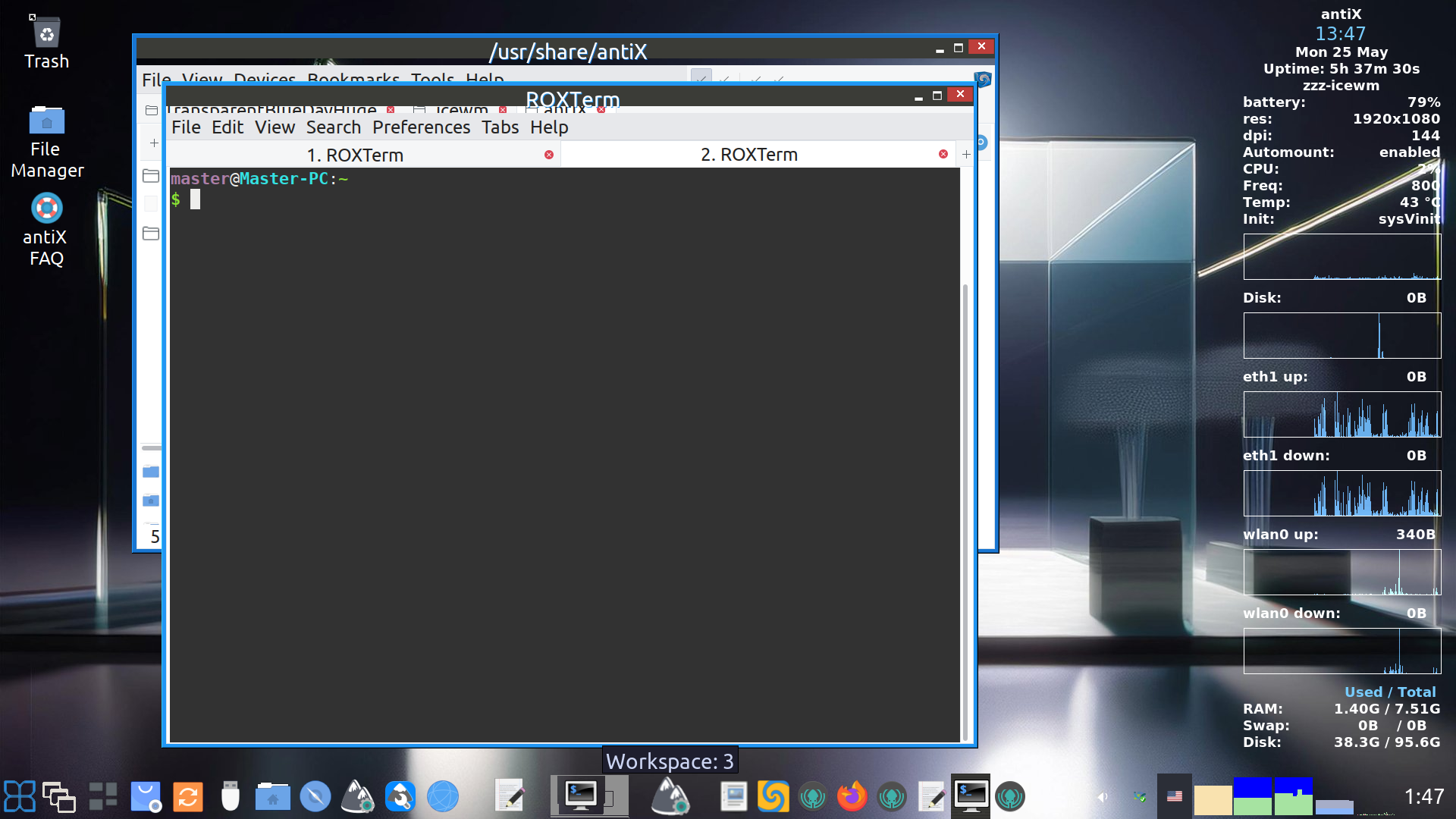
There is a horizontal line under the title bar (where its written “/usr/share/antiX” and “Roxterm” ) for all windowses .
I couldn’t get rid of it .
[in the screenshot you see a transparent horizontal line]
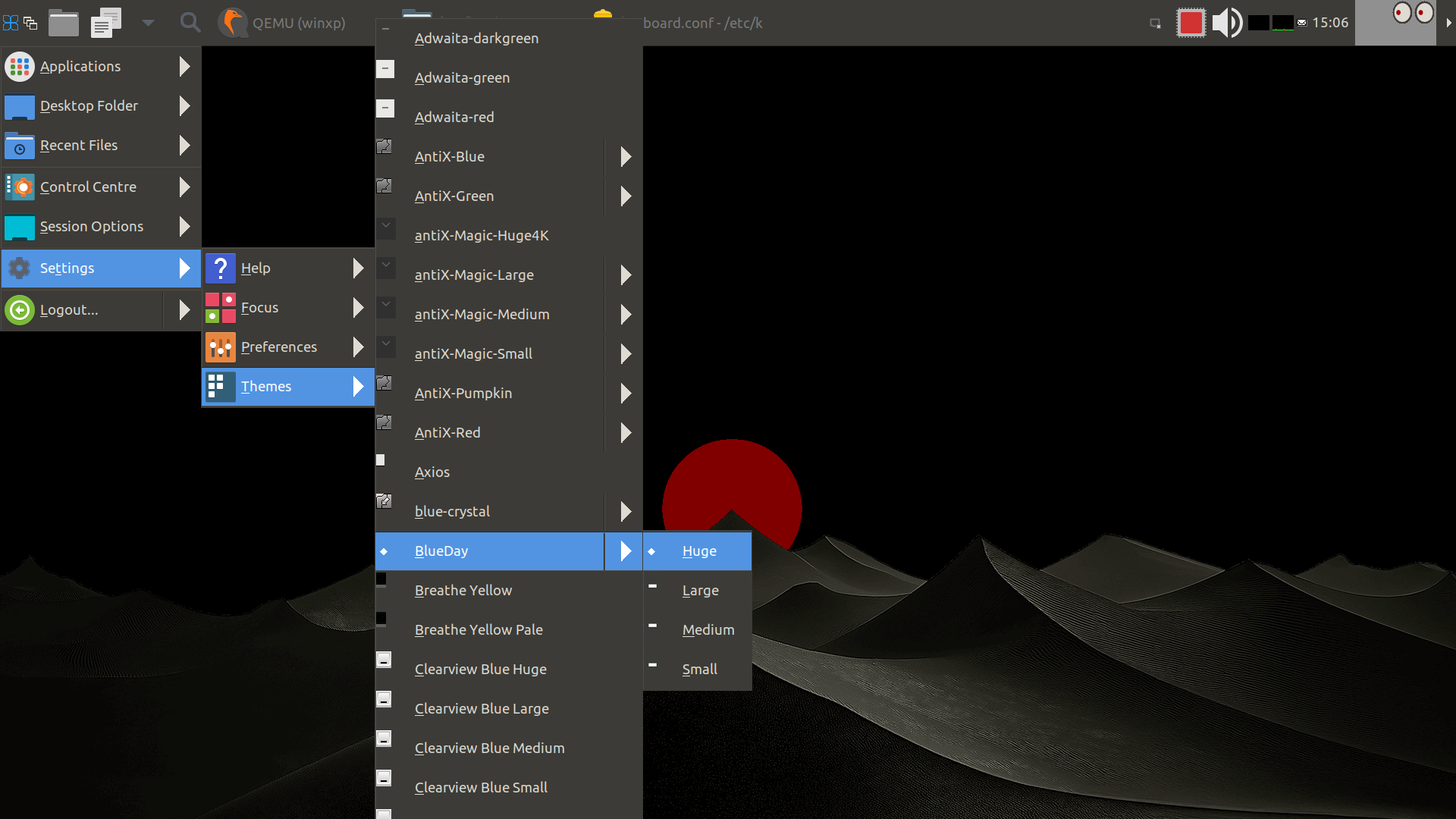
if composition is set to off , you see a black line .to use the theme, copy folder to ~/.icewm/themes , then select TransparentBlueDayHuge from themes menu .
add these to your ~/.icewm/prefoverride :
TrayIconMaxHeight=60
TrayIconMaxWidth=46
TaskBarGraphHeight=50
TaskBarApmGraphWidth=50
TaskBarCPUSamples=50
TaskBarMEMSamples=50
TaskBarNetSamples=50
add Alpha=1 to ~/.icewm/prefrences
activate visual effects , then restart icewm .
if you interested please help me with the horizontal line issue .
thanks .- This reply was modified 4 months ago by anticapitalX.
Let's accept antiX as it is
Pure and Elegant by its natureMay 28, 2026 at 4:17 pm #205576MemberThe issue :
There is a horizontal line under the title bar (where its written “/usr/share/antiX” and “Roxterm” ) for all windowses .
I couldn’t get rid of it .It’s because you set TitleBarHeight=36, but the images the theme uses for the titlebar and buttons are only 27 pixels tall. If you want a taller titlebar without a gap, then you’d need to adjust the images, too. In fact, with this theme, it seems you don’t really need the title**.xpm images at all since they’re just a single color, which you could just as easily set in the theme definitions file without using images. For the titlebar buttons, though, you probably do want to use images, so they’ll need to be made taller. You could just pad the buttons out with a solid color to make them 36px tall if you’re otherwise happy with the size.
add these to your ~/.icewm/prefoverride :
TrayIconMaxHeight=60
TrayIconMaxWidth=46
TaskBarGraphHeight=50
TaskBarApmGraphWidth=50
TaskBarCPUSamples=50
TaskBarMEMSamples=50
TaskBarNetSamples=50These are all “themeable” preferences, so they can be included in the theme definitions file, if you want to make the theme a bit easier to use.
"--"
-
AuthorPosts





- You must be logged in to reply to this topic.