
Forum › Forums › General › Tips and Tricks › can’t see clipit icon on icewm taskbar
- This topic has 6 replies, 2 voices, and was last updated Dec 20-6:38 pm by schproodle.
-
AuthorPosts
-
December 19, 2021 at 9:19 pm #73252
 schproodleMember
papirus-mini-antix is the only icon theme in “Custom Look and Feel” that is suitably sized for my EeePC 1024×600 screen. the clipboard program clipit’s icon on the taskbar is almost invisible. Is there another mini icon theme available.
EeePC, ASUSTek 1000HE - Atom N280, 1667 MHz, 32 bit - RAM 992.2 MiB
Kernel: 4.9.0-279-antix.1-486-smp i686 bits: 32 compiler: gcc v: 10.2.1
Desktop: IceWM 2.9.3 & zzzfm
Distro: antiX-21_386-full Grup Yorum 31 October 2021December 19, 2021 at 10:29 pm #73259BobC
ModeratorTake a screenshot so we can see which icon is difficult to see?
You could temporarily change your theme to something dark to make it more visible if it literally can’t be seen.
Maybe you could put a more visible icon with the same name earlier in the icon path.
Here is the link to SEARCH THE FORUM >> http://www.antixforum.com/search-forums
December 19, 2021 at 11:11 pm #73260schproodleMemberHope this amuses you! 🙂 Appears to be an open slot next to the volume icon.
Attachments:
EeePC, ASUSTek 1000HE - Atom N280, 1667 MHz, 32 bit - RAM 992.2 MiB
Kernel: 4.9.0-279-antix.1-486-smp i686 bits: 32 compiler: gcc v: 10.2.1
Desktop: IceWM 2.9.3 & zzzfm
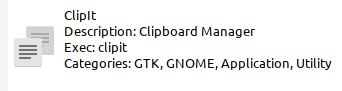
Distro: antiX-21_386-full Grup Yorum 31 October 2021December 19, 2021 at 11:45 pm #73262schproodleMemberHere is clipit in App Select.
Attachments:
EeePC, ASUSTek 1000HE - Atom N280, 1667 MHz, 32 bit - RAM 992.2 MiB
Kernel: 4.9.0-279-antix.1-486-smp i686 bits: 32 compiler: gcc v: 10.2.1
Desktop: IceWM 2.9.3 & zzzfm
Distro: antiX-21_386-full Grup Yorum 31 October 2021December 20, 2021 at 12:48 am #73268ModeratorThe problem is that the paperclip icon is silver, and so is your background. It is using a different icon for the tray as compared to its desktop or menu icon.
Here is the link to SEARCH THE FORUM >> http://www.antixforum.com/search-forums
December 20, 2021 at 5:11 am #73297ModeratorReplace this file with a 24×24 picture you like better:
/usr/share/icons/papirus-antix/24×24/panel/clipit-trayicon-panel.png
Attachments:
Here is the link to SEARCH THE FORUM >> http://www.antixforum.com/search-forums
December 20, 2021 at 6:38 pm #73348schproodleMemberDone! As you recommended.
Thanks
- This reply was modified 4 years, 9 months ago by schproodle.
- This reply was modified 4 years, 9 months ago by schproodle.
Attachments:
EeePC, ASUSTek 1000HE - Atom N280, 1667 MHz, 32 bit - RAM 992.2 MiB
Kernel: 4.9.0-279-antix.1-486-smp i686 bits: 32 compiler: gcc v: 10.2.1
Desktop: IceWM 2.9.3 & zzzfm
Distro: antiX-21_386-full Grup Yorum 31 October 2021 -
AuthorPosts



- You must be logged in to reply to this topic.