
Forum › Forums › General › Screenshots › FVWM
Tagged: NsCDE, retro window-managers
- This topic has 22 replies, 5 voices, and was last updated Jun 11-4:06 am by m4r35n357.
-
AuthorPosts
-
April 23, 2026 at 6:03 am #202403
m4r35n357
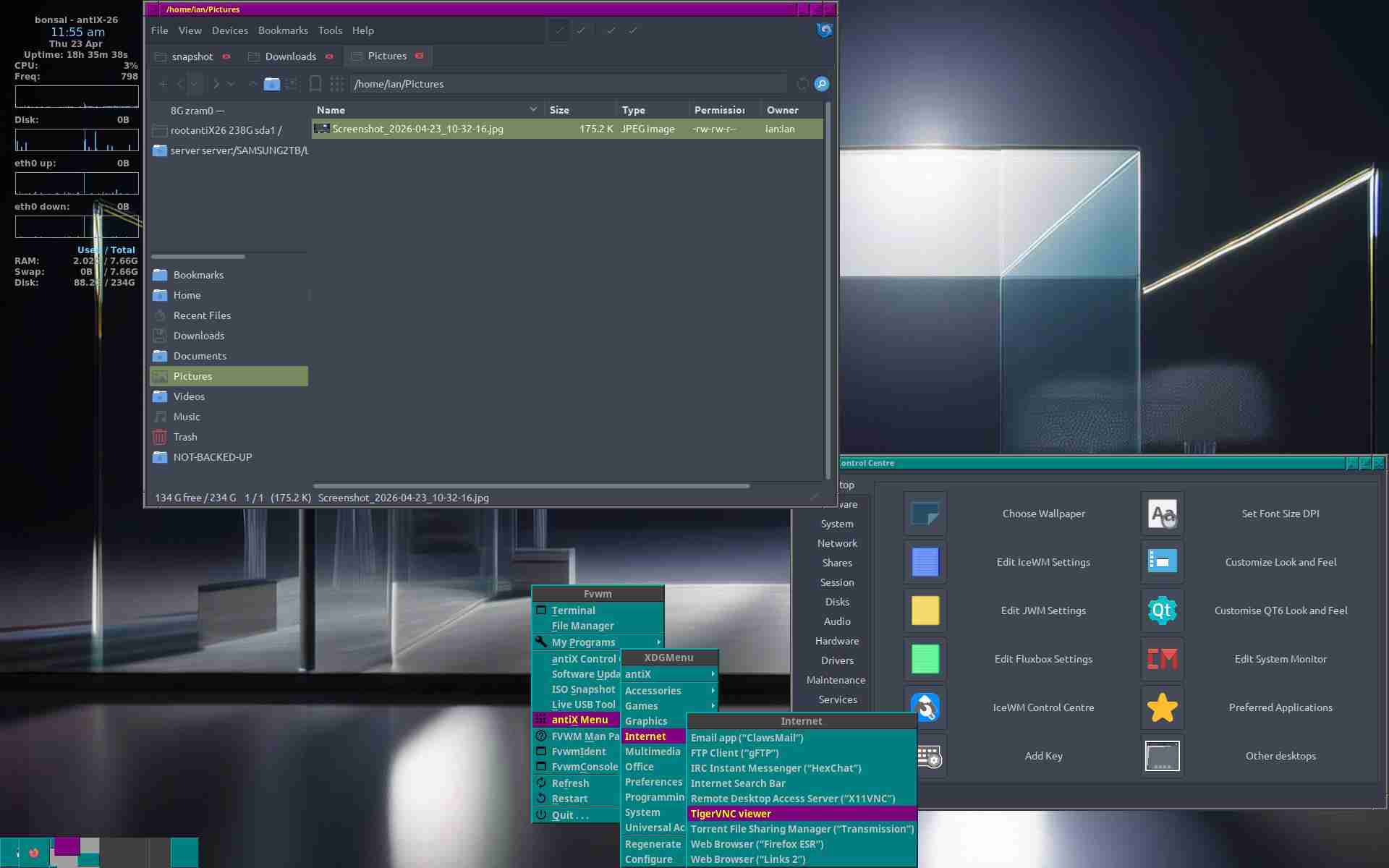
MemberFull retro 20th century (think unix workstation, late 1980s) 😉 Keyboard controls everything (outside GUI apps), so menus, windows, terminals, vifm, cmus etc. I can post config if anyone is interested . . .
NOTE: thumbnail is clipped at top & bottom, click to see the whole thing!
- This topic was modified 5 months ago by m4r35n357.
- This topic was modified 5 months ago by m4r35n357. Reason: info
Attachments:
April 23, 2026 at 11:20 am #202441Kimiko
MemberReally nice!
Using Linux since 1997.
Sorry, my english sucks!April 23, 2026 at 12:09 pm #202448MemberThanks 😉
After seeing the other thread, I’ve done a .png (cropped again – it is 1600×1200)
- This reply was modified 5 months ago by m4r35n357.
Attachments:
April 23, 2026 at 1:53 pm #202461 anticapitalistaForum Admin
Very nice.
I remember using FVWM for a while when I first started experimenting with window managers on (MEPIS) Linux back around 2005.
I was never keen on any desktop-environment.
However, fluxbox won me over though.
Nowadays I prefer herbstluftwm and still dislike any desktop environment.Philosophers have interpreted the world in many ways; the point is to change it.
antiX with runit - leaner and meaner.
April 24, 2026 at 3:54 am #202509MemberCan’t see any trade secrets in there, so might as well post the config 😉 You can check what I have changed from the default system config with meld (or whatever!):
meld /usr/share/fvwm2/default-config/config ~/.fvwm/config[EDIT] well that did not work – any suggestions – I don’t want to put it inline unless I really need to?
Upload Errors:

    config: Sorry, you are not allowed to upload this file type.
Ooh look – I gave it a “type” – well don’t blame me if you forget to rename it 😉
- This reply was modified 5 months ago by m4r35n357. Reason: error message
- This reply was modified 5 months ago by m4r35n357.
- This reply was modified 5 months ago by m4r35n357.
Attachments:
April 24, 2026 at 10:49 am #202558 Brian MasinickModerator
Nice job with fvwm. This “inspires me” to bring back fvwm-crystal, one of the first alternatives to fvwm/fvwm2 I used in my early Slackware days.
I tried yours out and it is indeed nice!
--
Brian Masinick
Alternate "Search B":
This search pageApril 24, 2026 at 11:06 am #202559Brian MasinickModeratorI did bring in fvwm-crystal, and though it has “historical interest for me, I don’t think I’ll be using it much. I switched back to IceWM, and I also reinstalled the antiX 23.2 Full Runit that was my main distribution prior to antiX 26, which is now my main distribution; 23.2 replaces the @farmer respin of antiX Trixie Xfce; that’s enough for me there. Though this won’t be my daily driver, I can visit it on occasion. Interestingly my antiX 26 configuration is slightly leaner than this one!
--
Brian Masinick
Alternate "Search B":
This search pageApril 25, 2026 at 2:21 am #202599MemberCheers for the comments guys, as usual I found & fixed a couple of things! I have solved the inconsistency between mouse & keyboard horizontal/vertical/full maximization, and commented all the bindings. I have also eliminated an entire window button as there were not enough mouse bindings to justify four buttons per window!
If you want to “colour-code” different systems, I recommend changing the title bar background in just this line, and it will also be applied to menus & the pager (yes, I am writing this from the “green” one!):
Colorset 2 fg yellow, bg #008000, hi, sh, Plain, NoShape   # active window
                         ^^^^^^^
Or for “golden” inactive windows, menus etc:
Colorset 1 fg #c0c0c0, bg #808000, hi, sh, Plain, NoShape # inactive windowBTW I now feel like I have wasted the last 20 years with “desktop environments” – I had this nailed in the noughties and didn’t even realize it 😉
- This reply was modified 5 months ago by m4r35n357.
- This reply was modified 5 months ago by m4r35n357.
- This reply was modified 5 months ago by m4r35n357. Reason: suggestions
Attachments:
April 25, 2026 at 3:07 am #202605MemberWell, of course the “green one” is a Raspberry Pi (Alpine), so here is the proper one 😉
Please disregard the attachment in my previous post – I need to have that coffee now!
Attachments:
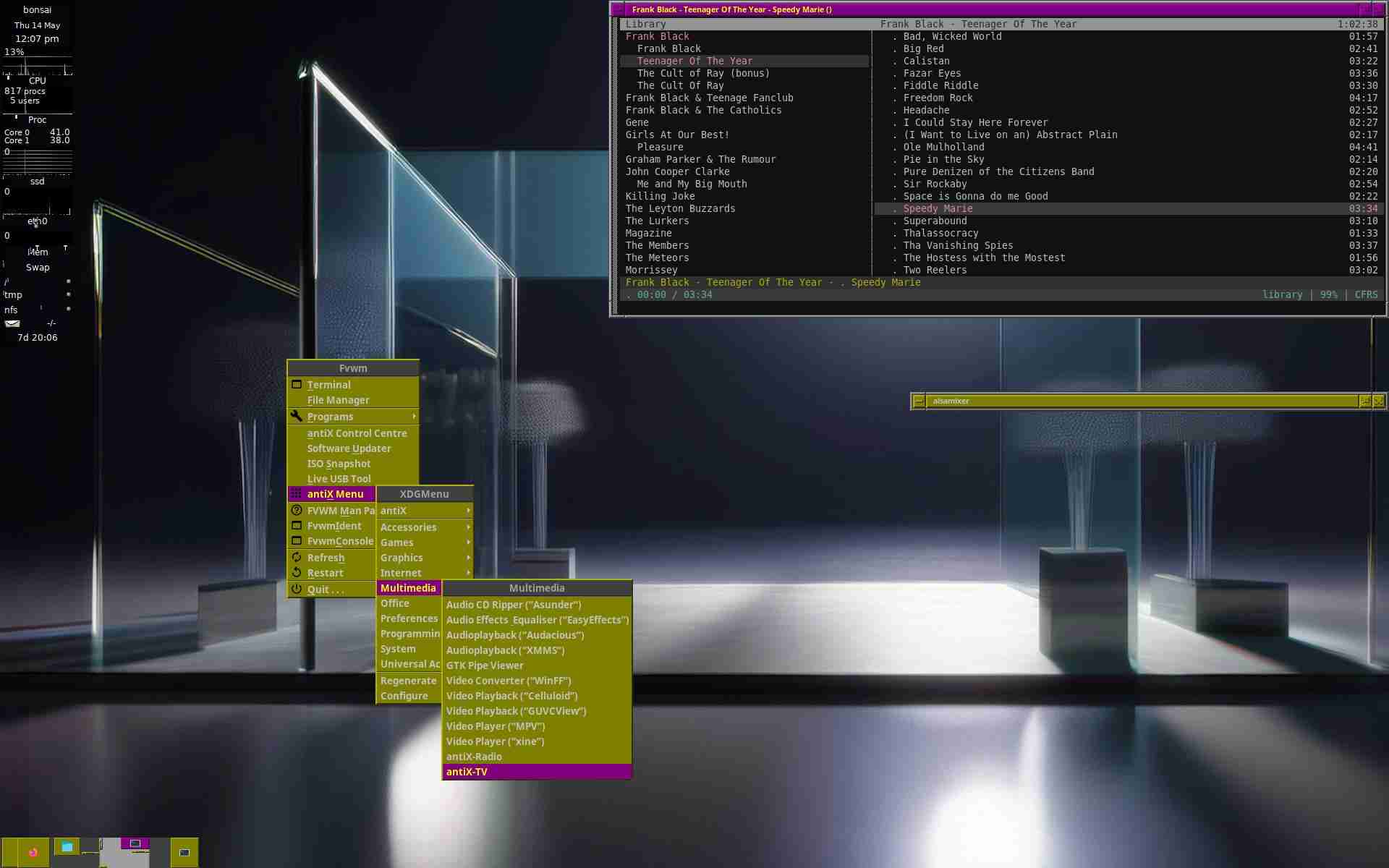
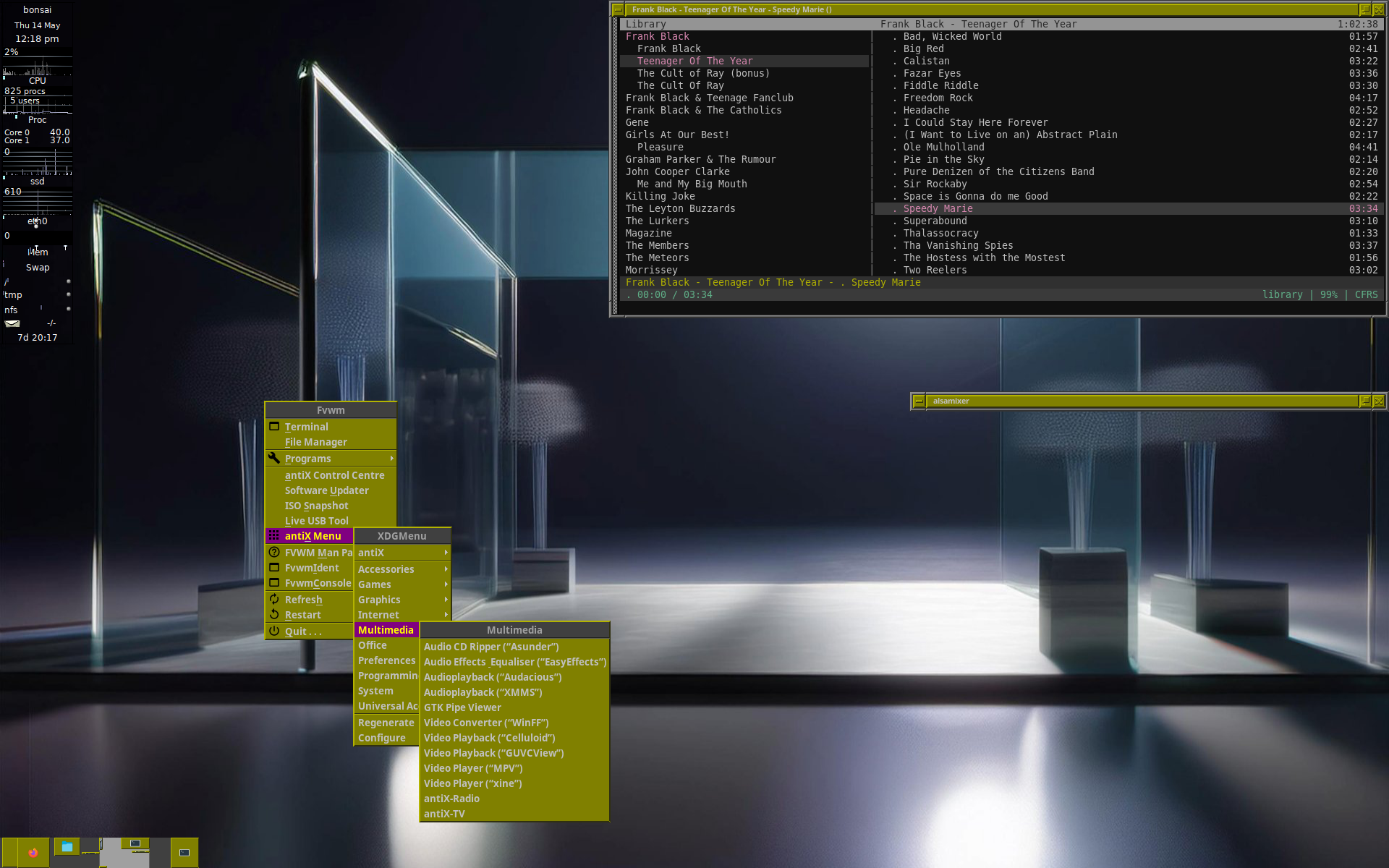
May 14, 2026 at 6:14 am #204451MemberConky replaced with Gkrellm (with the most conky-like theme I could find), full 2001-style minimal desktop, window manager 100% keyboard-controlled! I decided to keep the window colours from the last time, slightly “regal” feel 😉
Latest FVWM config attached (usual mucking about with file extension . . . also cannot delete low-res version uploaded accidentally).
Gkrellm themes (I counted 196 of them) from here. I serve them up over NFS to all of my machines.
- This reply was modified 4 months, 2 weeks ago by m4r35n357. Reason: year!
- This reply was modified 4 months, 2 weeks ago by m4r35n357.
- This reply was modified 4 months, 2 weeks ago by m4r35n357.
May 14, 2026 at 6:53 pm #204499Brian MasinickModeratorThough we have different personal tastes, nevertheless I applaud your creativity and thank you for sharing the results of that creativity! Just goes to show the countless different creative appearances we can come up with while still operating a very lean and mean configuration. Like yours, mine, and others, we show it every day in what we come up with! Excellent!
--
Brian Masinick
Alternate "Search B":
This search pageMay 14, 2026 at 8:07 pm #204502 wildstar84Member
Cool, but if you really want to go retro, particularly Solaris-retro, give NsCDE a try! I installed & used the available deb package on Bookworm & it worked pretty well OOTB (and brought back a lot of memories), but haven’t bothered to install on Trixie (still prefer my normal WM). You can get it here w/debs, source & screenshots!:
https://github.com/NsCDE/NsCDE
It uses FVWM under the hood and, pair it with my very lean “dtterm”-emulating terminal (https://github.com/wildstar84/aterm) and you’ll travel back in time to the ’80s-90s Unix workstation world!
Regards,
Jim
May 15, 2026 at 3:36 am #204515MemberHeh, I was a small-time Solaris/CDE user in the late 1990s, that is what attracted me to XFCE. But I am currently backing away from XFCE (still using it though) because IMO it is “flying too close to the sun” regarding Wayland etc., & for this reason I will not be touching FVWM3 either! I am looking into the implementation of NsCDE at the moment, thanks for the pointer. I am curious as to whether the launchers can be driven from the keyboard!
I was not a full user at the time, but I had a good go on an HP Unix workstation in the late 1980s, and there I discovered MWM (with its lovely cascading 3D menus coming directly from under the mouse pointer), and FVWM gives me that in a modern setting. So I came up with my setup after using CDE, and only abandoned it when XFCE came along later.
When all is said and done CDE, like XFCE, is a desktop environment, and I have concluded that that whole exercise was a failed experiment which distracted me from my functional setup of the early 2000s. Why have a taskbar when there is a window list (that you can even read the whole program name in!) on a middle button click anywhere in the root menu (or ALT-F2), and why have a taskbar menu when there is one on a left mouse click everywhere on the root window (or ALT-F1)?
CDE/XFCE never allowed me to drive launchers from the keyboard, that should have been a clue at the time, but I was distracted by DE “bling” and abandoned a perfectly functional system for no good reason. It is never too late to learn from one’s mistakes 😉
- This reply was modified 4 months, 2 weeks ago by m4r35n357.
- This reply was modified 4 months, 2 weeks ago by m4r35n357. Reason: detail
- This reply was modified 4 months, 2 weeks ago by m4r35n357. Reason: more words
May 15, 2026 at 12:19 pm #204542Brian MasinickModerator@m4r35n357 Very interesting indeed! In the mid to late nineties I was still a software engineer, and I contributed to the CDE project, except that I was working at Digital Equipment Corp. After I left DEC in 1998 some of my work at a financial services company was using Sun Solaris, but they didn’t use CDE, they used code that they collaborated on with AT&T.
Going back earlier when I was at DEC, I DID test several vendor’s UNIX implementations, including SunOS (Motorola 68000 based in the early 1980s), HPUX, IBM AIX, and later Sun Solaris. IBM’s UNIX was actually one of the early 64-bit UNIX systems; HP and Sun both beat Digital to a 64-bit implementation. Of course I’m biased, but that late entry of Digital Ultrix completely rewritten for Digital UNIX fixed a LOT of CDE and UNIX defects and it was one of the fastest systems at that time – (though based on the processors even in small smartphones these days, that isn’t saying much!)
Also I wanted to ask you if you’ve ever investigated fvwm-crystal? It’s “heavier” than stock FVWM, but still comparatively light; it’s a pseudo-desktop environment with an efficient interface. I first ran into it in my early experiments in the 1990s with Slackware, so given that it ran well on a 100 MHZ 32-bit processor I had at that time (my VERY first PERSONAL computer), I’m sure it’s very solid today. I did try it a few times in the 2020s and it still is out there and it worked great. Have you heard of it?
--
Brian Masinick
Alternate "Search B":
This search pageMay 16, 2026 at 4:27 am #204582MemberI have kept Crystal in mind over the years, but ultimately like NsCDE it is IMO yet another route (slippery slope?) towards the desktop manager, whereas I am already at the optimum point 😉 When all is said & done, I want to:
-
Run programs – ALT-F1
View & switch between running programs – ALT-F2
Move & resize windows – ALT-F3
Monitor the vital signs of the computer – Gkrellm (or Conky!)Is there anything else a computer needs to do? IMO anything else is added complexity which adds nothing functionally when it is all working, but can go wrong on random occasions (bugs, “finger trouble”, whatever).
There is a positive for both, though, they are good sources of working FVWM code for local experimentation. I see FVWM as a sort of /bin/sh for X11; I will define “aliases” for myself, but I don’t usually care for those made by others – I think I am unshakeably happy with my setup as it stands 😉
- This reply was modified 4 months, 1 week ago by m4r35n357. Reason: ALT!
-
AuthorPosts

- You must be logged in to reply to this topic.