
Tagged: Solved
- This topic has 11 replies, 4 voices, and was last updated Jul 8-4:10 pm by 032_hsn.
-
AuthorPosts
-
July 8, 2025 at 3:09 am #180967
032_hsn
MemberHello,
does anyone have experience and would be willing to
answer me these two questions?1) Live-USB-maker allows writing to smaller
parts than 100% (see photo). Does anyone use this
with larger (8GB) and newer USBs, or does it not
make much sense?2) MX-Linux minimal respin has now its important
tools in dark-mode. Which I consider very
useful and correct for the sake of my eyes.
In antiX full the connman gui with adwaita is
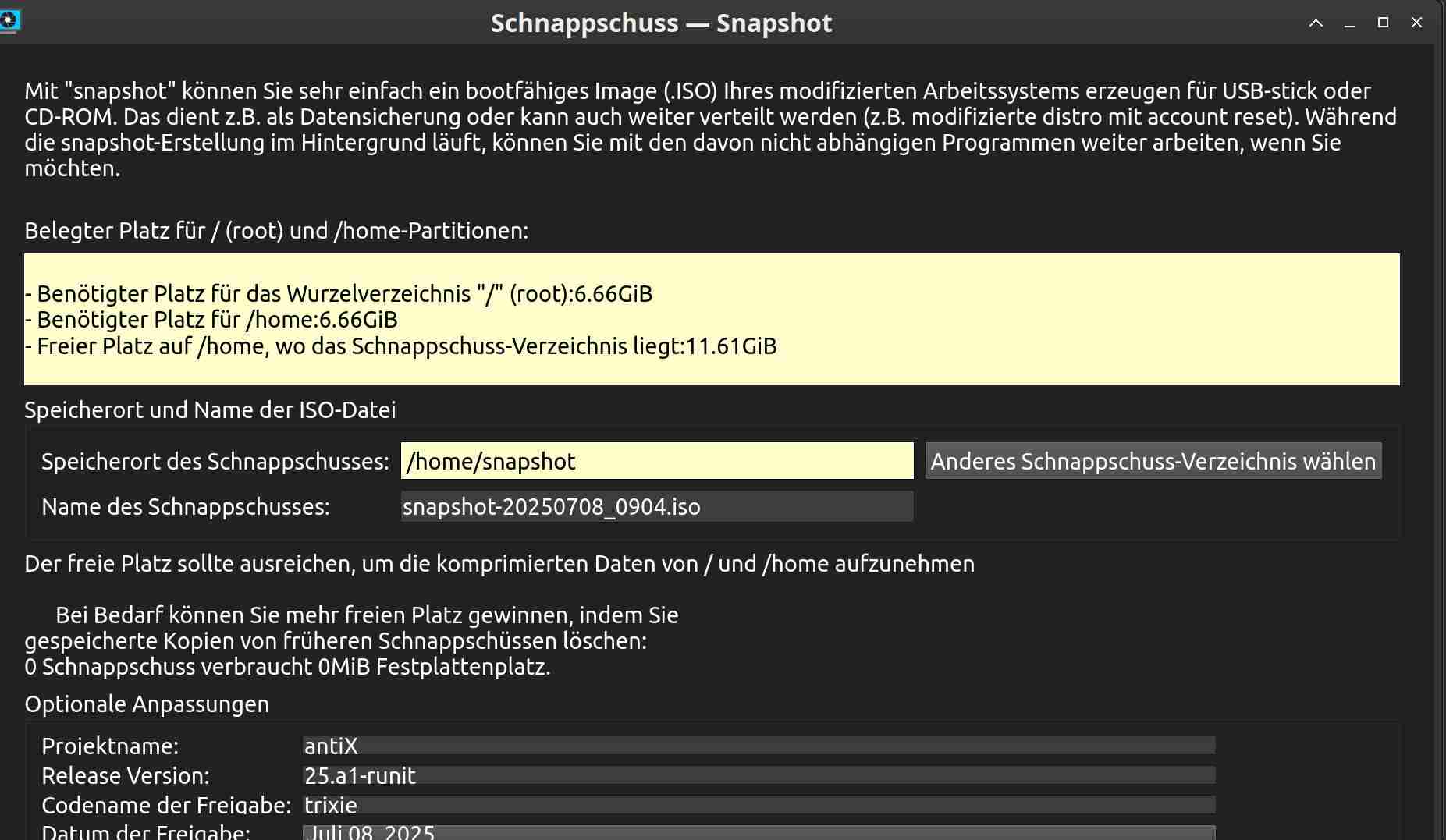
dark; iso-snapshot and live-USB-maker can be set
as dark at least when I run them in the root
terminal (the LAN cable is always unplugged).
In CANA XFCE4-respin, BASE, I have installed
adwaita-dark as always additionally. But Connman,
ISO-snapshot, Live-USB-maker, antix-user and
other tools cannot be set up dark. And not even
in root. => Does anyone know how to make
MX-linux minimal, or how to make dark-mode?
[Note: qt5 in BASE doesn’t help, I tried it.]Thanks for the answer.
Greetings!
July 8, 2025 at 5:10 am #180970Xunzi_23
Member1) Live-USB-maker allows writing to smaller
parts than 100% (see photo). Does anyone use this
with larger (8GB) and newer USBs, or does it not
make much sense?USB Stick capacity has grown the setting makes a lot of sense, I always use it and
post create an extra data storage partition or partitions as needed using GParted.Presently I mostly see 64 or 128 GB sticks, my personal choice is 64GB but that may
change, many 128 GB sticks have a better controller and cache so do not slow down as
quickly on larger writes such as transferring an iso to a storage partition.Some of the newest USB3.2 Gen 2 drives are ssd internaly and very fast, they will
definitely gain popularity as prices drop.Should changes be made to the live USB maker application an option for creation of
multiple partitions with multiple format possibilitys would be a welcome addition.Dark mode, I hate it, it makes my eyes hurt.
- This reply was modified 1 year, 2 months ago by Xunzi_23.
- This reply was modified 1 year, 2 months ago by Xunzi_23.
July 8, 2025 at 5:25 am #180971anti-apXos
Member1) A larger USB is where it makes the most sense, isn’t it?
If you plan to use persistence, just remember to include enough space in the main antix partition for that, too.
Since the antix partition Live USB Maker creates is ext4, you could just use that for storage if you wanted, but I like to have a separate partition. I even have a USB here with antix written by Live USB Maker plus Ventoy on the rest of the drive. antix’s live system is flexible enough that you can basically do anything with it.
2) To set a Gtk theme for root, run
sudo lxappearanceand choose whatever theme you want, dark or otherwise
To make this theme also apply to the Qt-based MX tools like Live USB Maker, run
sudo visudoand add the line
Defaults env_keep+="QT_QPA_PLATFORMTHEME"Save and exit visudo. The change should apply the next time you start one of those applications.
"--"
July 8, 2025 at 8:49 am #180981MemberHello, @xunzi and @anti-apXos,
1) Thanks for the practical ideas on Live-USB-maker.
I use only Ministicks (4GB), but I also have two
free USB 8GB.2) @anti-apXos: maybe my translation is unclear. When
I translated @xunzi’s text, it was also difficult
to understand. So I say it differently: I only used ‘MX-linux minimal’
as an example. Because they have dark-mode
everywhere, which they love.But I’m actually talking about RESPIN by @calciumsodium =
XFCE4-stable-base. Here I have so far Packageinstaller,
Connman, antix-user, iso-snapshot, live-USB-maker and
some other tools just on white background. I can’t set
dark-mode. Even via TERMINAL ROOT they remain white.When I type in terminal ‘sudo lxappernce’, Enter,
it doesn’t work (see photo = command not found). So going
to NANO doesn’t make sense yet.Thank you for both answers!
Regards
Attachments:
July 8, 2025 at 9:54 am #180984MemberYou just misspelled the command. It should be
sudo lxappearancenot ‘lxapperance’ or ‘lxappernce’
"--"
July 8, 2025 at 11:52 am #180987MemberHello @anti-apXos:
true, I missed one letter (e). Now I typed correctly in the terminal and got the tool I know very well. I used it once as usual during the installation, right in LIVE-SYSTEM. In live-system I also installed control-centre-antix, where ‘lxappearance’ is in the first place, at the top.
Now I used it in the terminal with sudo (see photo). Even with root. But the tools that were white STILL REMAIN WHITE.
Note: in Xfce4 I also set adwaita-dark (see photo). – If I should install some other tool than awaita-dark, which is also dark, I DO NOT want to, thank you. Only adwaita-dark is black enough, the others are just miserably dark and leak light. I tried it once.
I just can’t do it in this respin (other than in IceWM). Never mind, it’s just a small thing. I’ll stay with this respin anyway.
I put it on ‘solved’. Thank you for your cooperation.
Greetings
July 8, 2025 at 12:24 pm #180991Member@anti-apXos
forgot message: in NANO registered!! See photo. But STILL REMAIN WHITE.Thanks!
Greetings
Attachments:
July 8, 2025 at 12:32 pm #180993anticapitalX
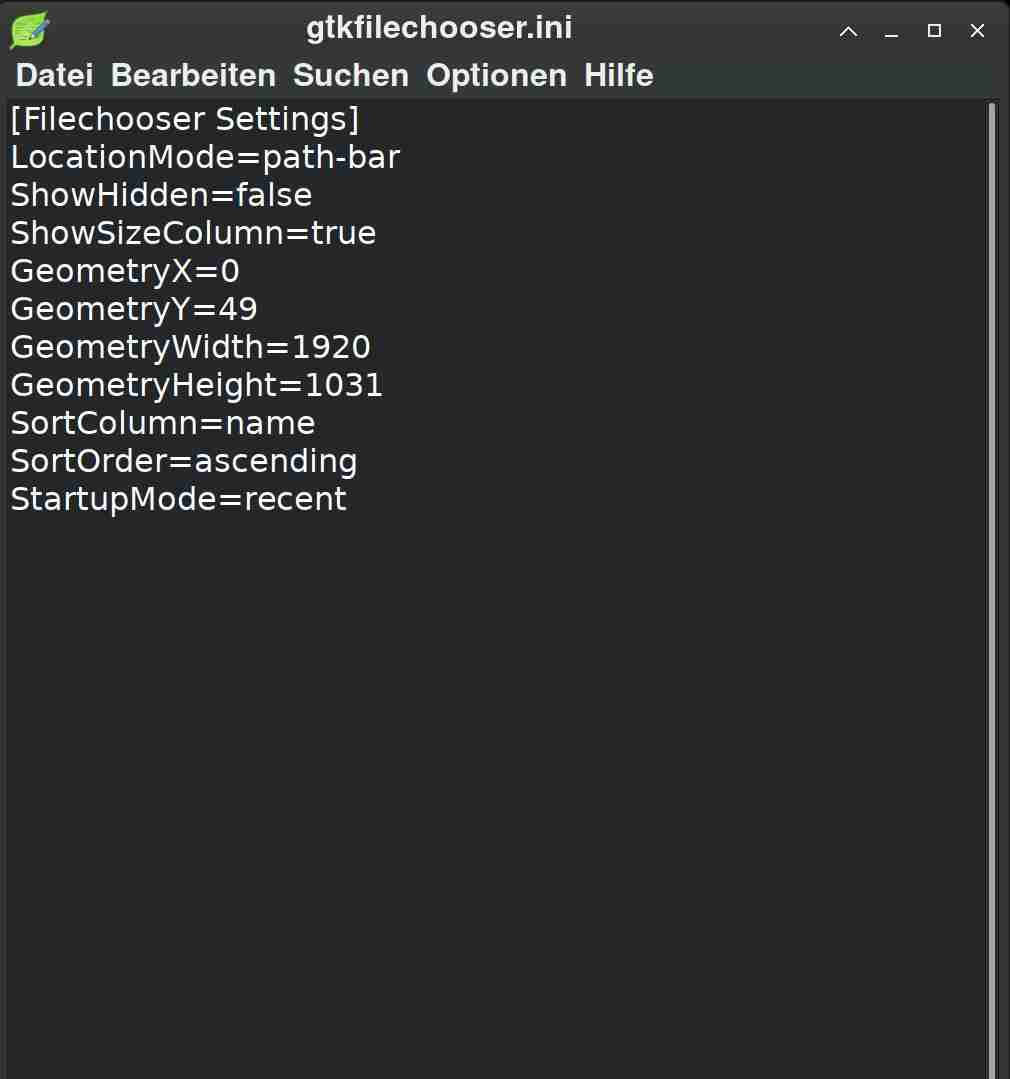
Member~/.config/gtk-3.0/settings.ini
gtk-application-prefer-dark-theme=1
might helpLet's accept antiX as it is
Pure and Elegant by its natureJuly 8, 2025 at 1:18 pm #180994Member@anticapitalX:
Thank you!! Whhere pleas?? See attachments (3).
Greetings
Attachments:
July 8, 2025 at 1:22 pm #180998MemberI just can’t do it in this respin (other than in IceWM).
Can you explain what you mean by this?
The apps that come from MX, like Live USB Maker, have the Adwaita-dark theme when started from IceWM, but not from Xfce? Is that what you mean?
Perhaps this is expected since in Xfce they are probably being launched by pkexec instead of gksu. I didn’t think of that. Now that I do, I would think they should keep the regular user theme when started by pkexec, however I’m really just not familiar at all with Xfce or polkit at all.
Maybe someone else who is can help you.
"--"
July 8, 2025 at 2:22 pm #181002MemberThank you!! Whhere pleas?? See attachments (3).
Greetings
i gave you the full path . it is the first screenshot of yours .
paste it right bellow
gtk-xft-rgba=rgbsometimes need logout , login again.
Let's accept antiX as it is
Pure and Elegant by its natureJuly 8, 2025 at 4:10 pm #181007MemberHello,
@anti-apXos:
you’re absolutely right. I’m sending it to you in attachments 1) – 3). This is not for the antiX specialist, but for those who know Xfce4 perfectly (polkitd, policykit, pkexec, consolekit). = It’s just a little thing, a curiosity. It’s not important at all and I don’t have enough time anymore. Thank you!!@anticapital:
even your suggested writing to gtk-3.0 didn’t change anything (see attachment 4). Nor did my installing and activating qt5 change anything. Thank you too!!It’s just a very fast (and quick) system. That’s why it’s like this. We would have to install some other dependencies. And I don’t want that.
Greetings
-
AuthorPosts





- You must be logged in to reply to this topic.