
Forum › Forums › New users › New Users and General Questions › Start linux
Tagged: Start antix
- This topic has 5 replies, 4 voices, and was last updated Jan 4-9:51 am by Nooblinux.
-
AuthorPosts
-
December 30, 2025 at 12:20 pm #192839
Nooblinux
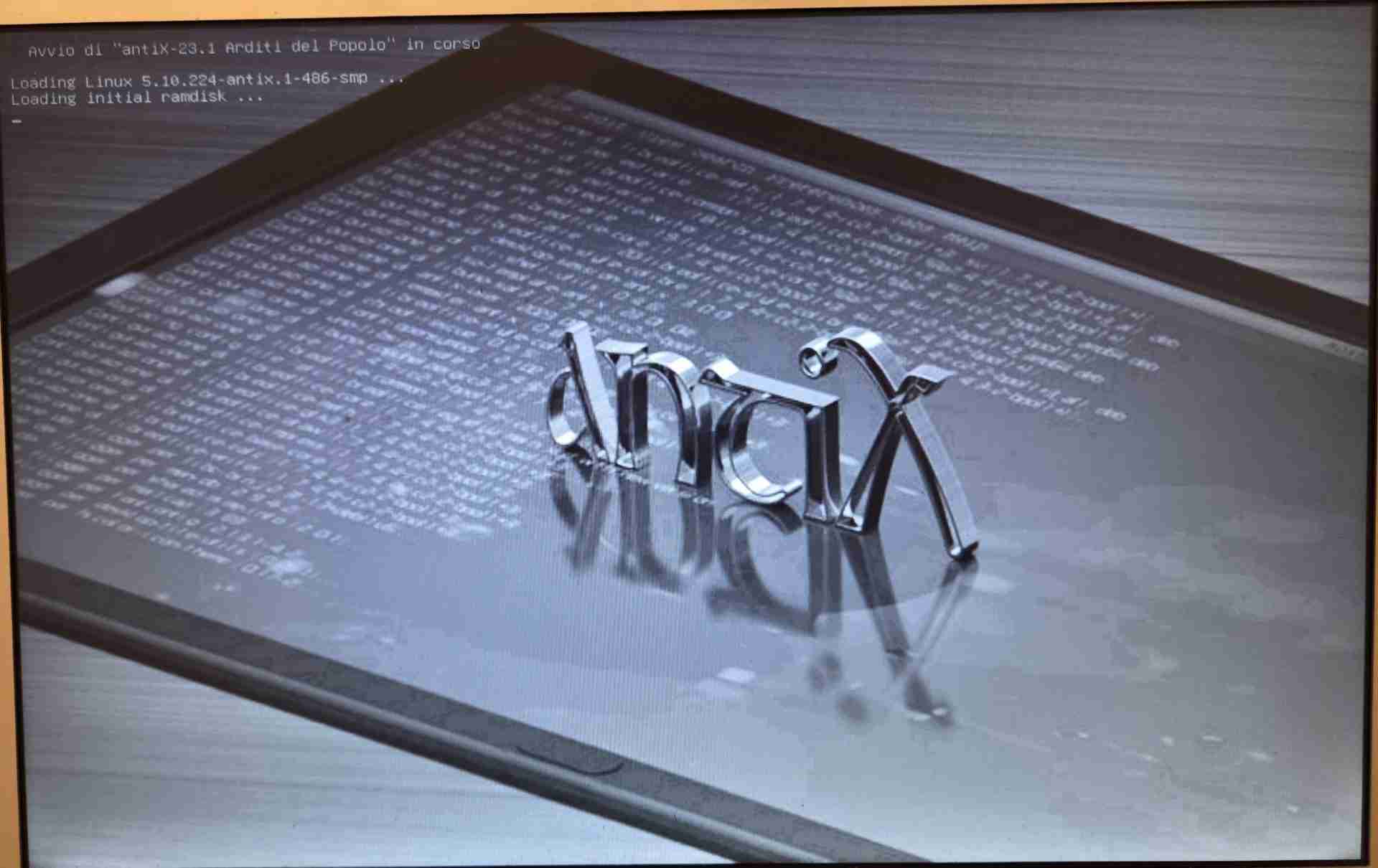
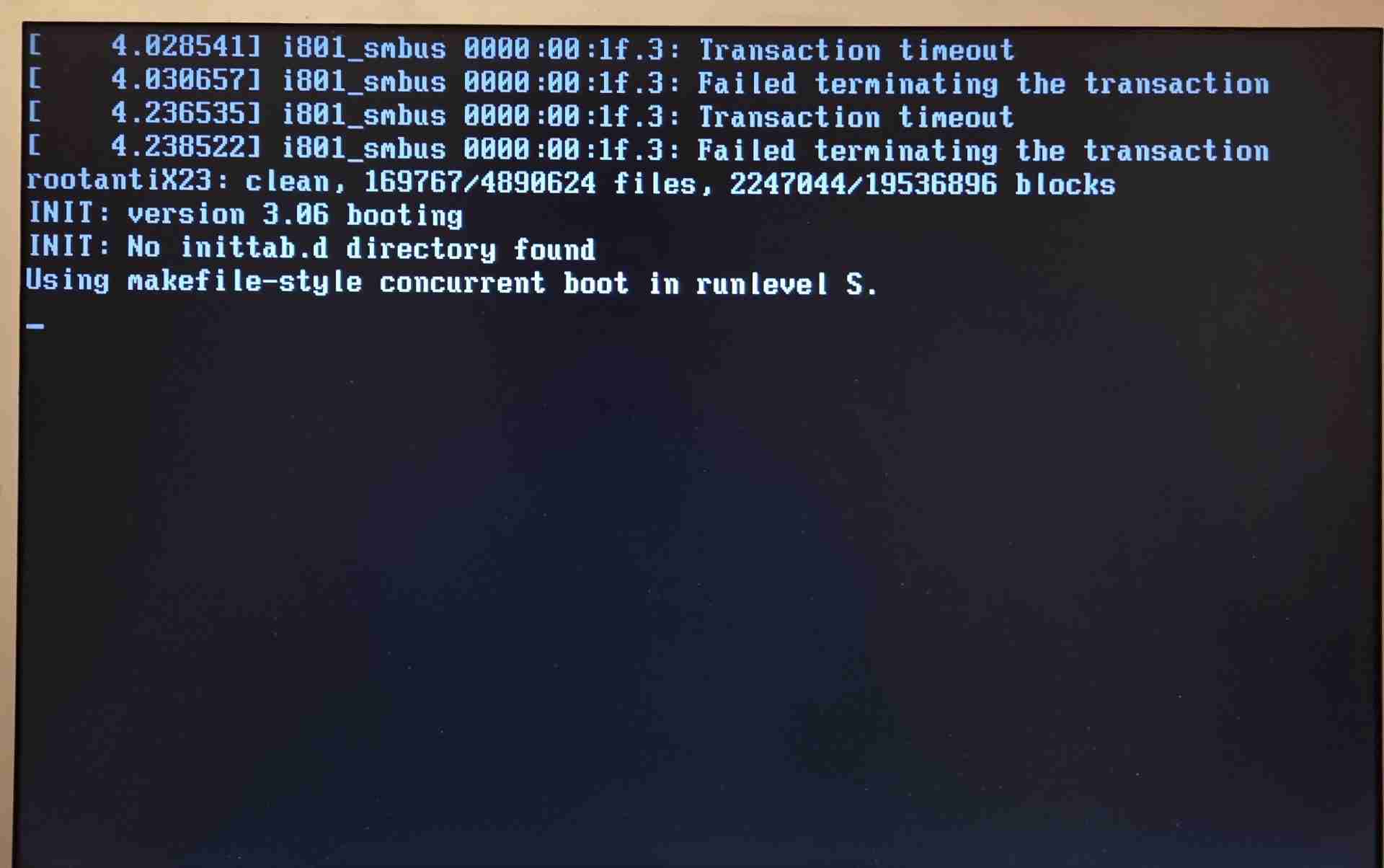
MemberI installed antiX for the first time on a 2006 MacBook Pro and it works correctly. The only thing is that when I turn it on, what I attached in the photo always appears. Is this normal, or is there something that needs to be fixed?
January 2, 2026 at 8:24 am #193037 sybokMember
I have no idea, let’s investigate.
I installed antiX
Which version? You can post the name of the ISO or specify individually all the details (base|full|…?, which init?, 32-bit or 64-bit?, release e.g. 23.2, which kernel do you boot into?)
Can you provide more information on your HW?
Typically, output of ‘inxi -Fxz’ provides both; copy+paste or attach as a TXT fileA) The 1st screenshot states that TPM (Trusted Platform Module), if there is any, does not communicate with antiX correctly; not sure what the consequences can be.
Is there a TPM in your device? Can you provide a link to specification of your model or list the HW?
B) The 2nd screenshot should be (according to a quick web search leading to unix.stackxchange.com) merely an information|warning about a missing directory that could contain additional configuration.January 2, 2026 at 9:23 am #193040Xunzi_23
MemberHi, welcome to the forum, on a mac I am noob too, but below may be useful.
https://bobcares.com/blog/linux-error-communicating-to-tpm-chip/for smbus errors
https://bbs.archlinux.org/viewtopic.php?id=254885Please do not worry about being pointed to other places including Arch, it is linux too and many of those in the archers community are extremely knowledgable,
most of us are not using fruity hardware, mostly boring X86 boxes. I would still be using Arch at least some of the time, if it had a decent init :-).January 4, 2026 at 6:10 am #193180MemberI installed antiX 23.2 Full 32-bit; the computer is a 2006 MacBook Pro. When I turn on the computer, the second image appears—the one with “antiX” written in the center—which asks me to start antiX. When I select “Start antiX,” the messages shown in the other photos appear, and then antiX starts and everything works.
- This reply was modified 8 months, 3 weeks ago by Nooblinux.
January 4, 2026 at 7:23 am #193190ProwlerGr
MemberIt all seems normal @Nooblinux. Some distro’s mask all boot messages with a splash image, antiX doesn’t.
Everything I see in your boot screen seems normal.
Does the boot result on a login screen (or you desktop) succesfully?
If it does then no problem at allJanuary 4, 2026 at 9:51 am #193205Memberyes,the startup process finishes with the desktop screen.
-
AuthorPosts

- You must be logged in to reply to this topic.