
Forum › Forums › antiX-development › Graphics › Themes: Adwaita-darkred (GTK2/3/4/libadwaita) and DarkDays (IceWM)
- This topic has 23 replies, 7 voices, and was last updated Jun 22-7:55 am by Brian Masinick.
-
AuthorPosts
-
May 27, 2024 at 9:22 am #143639
anti-apXos
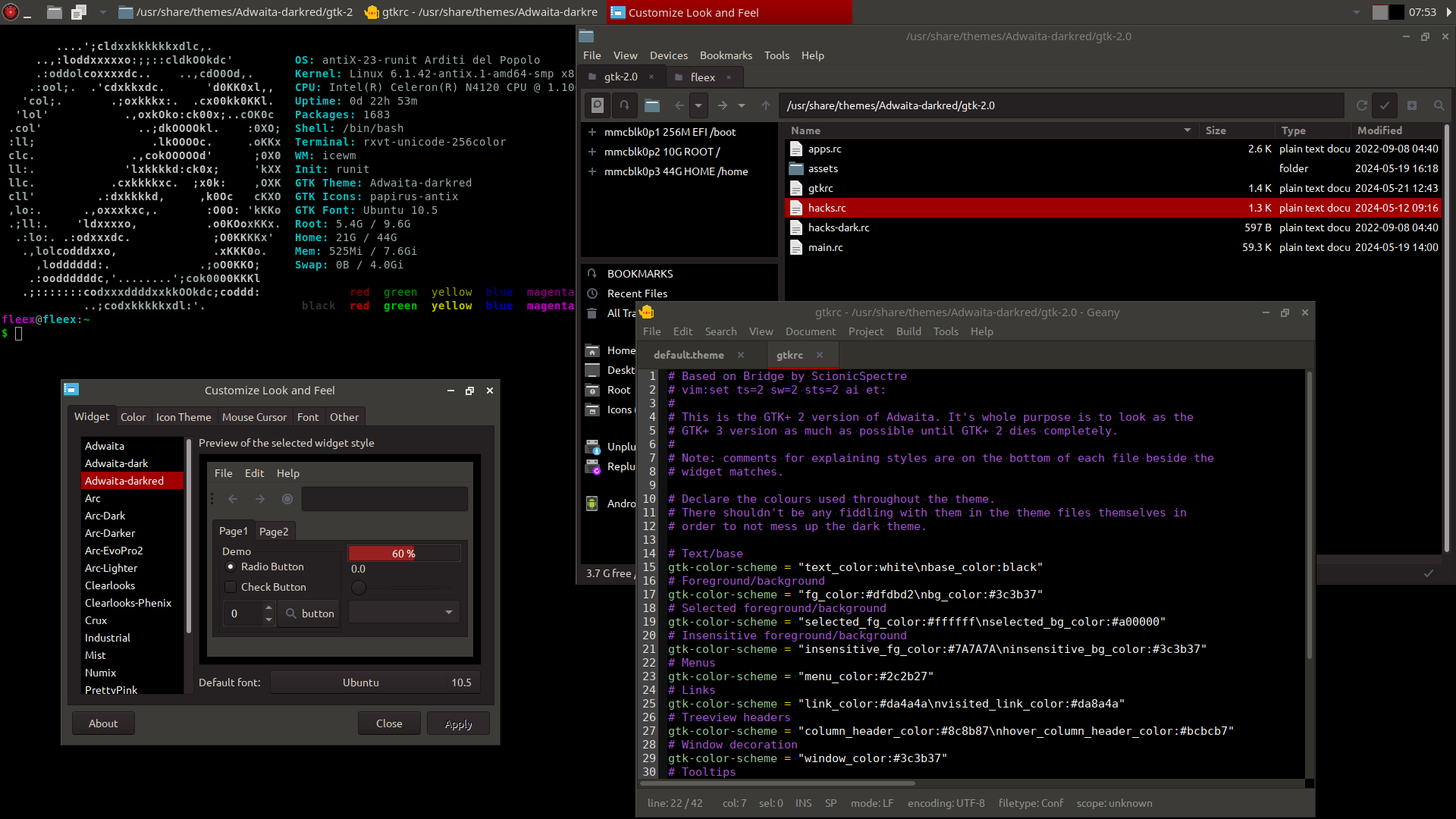
MemberAdwaita-darkred is my custom modification of the GTK2/3 Adwaita-dark theme with red highlights instead of blue and reddish/warm greys instead of blueish/cold.
It also has full black application backgrounds. This might occasionally cause problems if applications hardcode black text instead of using the GTK fg color. The only example I’ve come across so far is the messages window in Transmission, though.
On the other hand, I’ve also fixed a problem in the original Adwaita-dark that made the focus outline on buttons or other selectable items invisible. This makes Adwaita-dark pretty much unusable with some applications, including rox-filer, but with Adwaita-darkred they should be good again.
DarkDays (formerly FX-darkred) is a modification of the BlueDay/FX IceWm themes, made by MissTell and PPC based on some earlier Win8 style themes. DarkDays color matches Adwaita-darkred and also includes a couple other little tweaks like a new start button and some fancified window decoration buttons.
If you’re a Geany user, I suggest also using skidoo’s blk-vibe color scheme, which comes pre-installed with antiX.
To install these themes, just unzip Adwaita-darkred to /usr/share/themes/ and DarkDays to /usr/share/icewm/themes/. IceWM themes can also be put in ~/.icewm/themes/, if you prefer, and supposedly GTK themes can be put in ~/.themes/, but I get some issues with certain assets not loading correctly when I try to put them there, so I suggest the systemwide /usr/share/themes/ location.
Enjoy!
EDIT: See this post to download the latest release of Adwaita-darkred (R6), which now additionally has support for GTK1, GTK4 and Xt/Xaw applications, plus some other goodies.
- This topic was modified 1 year, 4 months ago by anti-apXos.
- This topic was modified 7 months, 3 weeks ago by anti-apXos.
- This topic was modified 3 months ago by anti-apXos.
Attachments:
"--"
May 27, 2024 at 4:52 pm #143699 blur13Member
This is very good! Thanks!
May 8, 2025 at 9:21 am #176373MemberAfter playing around a bit with the antiX-Magic IceWM themes, I was reminded how much I liked the rounded window frames they have, so I thought I’d try adding them to my DarkDays theme. The result is pretty good, though kind of a mixed look since DarkDays is otherwise a very flat theme.
I’m liking it for now, though, so I’ll share the theme here as DarkDaysDX.
Also attached is an updated version of Adwaita-darkred. I’ve made several small changes since posting it originally: text entry boxes are darker, scrollbars have a red highlight when clicked, GTK2 and 3 colors are more similar, and probably other changes I can’t remember.
I’ll also post a version of the DarkDays IceWM theme without rounded borders just to be complete.
"--"
May 8, 2025 at 4:12 pm #176402j_luz
MemberLooks amazing, I have downloaded the zips and next week I’m going to test it out. I say next week because my workload this week left me mentally and emotionally crippled. Not really a great time to review a project with the attention it deserves.
May 8, 2025 at 4:46 pm #176405 Brian MasinickModerator
@anti-apxos Those are some nice themes you’ve put together; thank you for sharing them!
--
Brian Masinick
Alternate "Search B":
This search pageMay 8, 2025 at 11:11 pm #176421 techoreMember
Agreed. Very nice.
Knowledge speaks, but wisdom listens.
May 9, 2025 at 7:59 am #176438MemberI say next week because my workload this week left me mentally and emotionally crippled.
Probably such a dark theme is not best for times like this anyway. You want something light and uplifting, like Clearlooks or PrettyPink.
Or when I want to “go light” on this theme, I sometimes use
xcalib -invert -alterwhich is enough to make me laugh.
"--"
May 13, 2025 at 2:49 pm #176784MemberHello @anti-apXos, I have tried the DarkDays/DarkDaysDX and the rev2 Adwaita-darkred. Also I followed your suggestion about the color scheme in Geany.
I like it. You did a very nice job on it. Even the calendar when I click on time looks nice. Do I like DarkDays or DarkDaysDX better – I don’t know. They both look good with it, I can see using either depending on my whim.
I looked at your link to set the terminal as the background but I don’t think I understood it so I put a picture instead.
- This reply was modified 1 year, 4 months ago by j_luz.
Attachments:
May 14, 2025 at 12:11 am #176823andfree
MemberThank you, @anti-apXos. I use Adwaita-darkred for about half of a year and I like it. I have not come across with any problems, such as invisible text or other items. I like the new version, too. However I would like to try a “darkgreen” version, with cold green(ish) colors, instead of red(dish) ones, but with the same full black application backgrounds. I would see if it would be more relaxing for the eyes (I don’t mean that darkred is not). Would it be easy such a modification to be done?
- This reply was modified 1 year, 4 months ago by andfree.
- This reply was modified 1 year, 4 months ago by andfree.
antiX utilities for processing PDF files (posted by ChPol)
May 14, 2025 at 11:43 am #176851MemberHowever I would like to try a “darkgreen” version, with cold green(ish) colors, instead of red(dish) ones, but with the same full black application backgrounds.
This can be done pretty easily, at least up to a point. I changed my highlight color to orange some time ago (but then changed it back to red after a while), so I knew exactly what to change and it can even be scripted.
Attached is a script you can use to change the highlight color used in these themes.
To use the script, you only need to edit a few variables at the top. Tell it what directories to use for the new themes and of course what colors you want. If you’re modifying the original themes that you downloaded here, you will not need to change old_color1, old_color2, or old_link.
To get hex values for the new colors, you can use something like mtPaint or yad-color.
To get the value for hue_trans, open one of the old assets in mtPaint, such as /usr/share/Adwaita-darkred/gtk-2.0/assets/entry-active.png. Then go to Effects > Transform Colour… and move the Hue slider until you have the color you want. The number to right of the slider now is what you should enter for hue_trans in the script.
Once you’ve set the variables you want in the script, just run it (with sudo if needed) and it should do everything. The new modified themes will be selectable right away using LXAppearance and IceWM’s Themes menu.
This simple script does not do a perfect job of modifying the GTK3 theme. Some elements, like a clicked scrollbar, aren’t changed. Changing these would be a lot more complicated, unfortunately.
EDIT: After using a theme generated by this script for a while, I noticed more and more unchanged GTK3 elements. A couple small changes to the Adwaita-darkred theme allows the script to also change most of these, too, though. So I’m uploading a new version of Adwaita-darkred here. It’s not really changed at all if you use the default red highlights, but it works much better with the highlight changer script.
In fact, I can’t really see anything that’s still reddish in the new modified themes the script produces now.
- This reply was modified 1 year, 4 months ago by anti-apXos.
"--"
May 14, 2025 at 11:52 am #176853MemberDo I like DarkDays or DarkDaysDX better – I don’t know. They both look good with it, I can see using either depending on my whim.
Yeah, I agree. Rounded corners are used a lot and they do look nice, but sharp corners still look good to me, too.
When I first tried using picom with its options like rounded corners and shadows, I thought it looked great. But then after a while, I disabled it, and I thought the sharp corners looked great. Sometimes you just like a change, I guess. I only very rarely change my entire theme, but small changes like this or the highlight color are nice.
"--"
May 15, 2025 at 3:17 am #176899MemberThanks a lot, @anti-apXos.
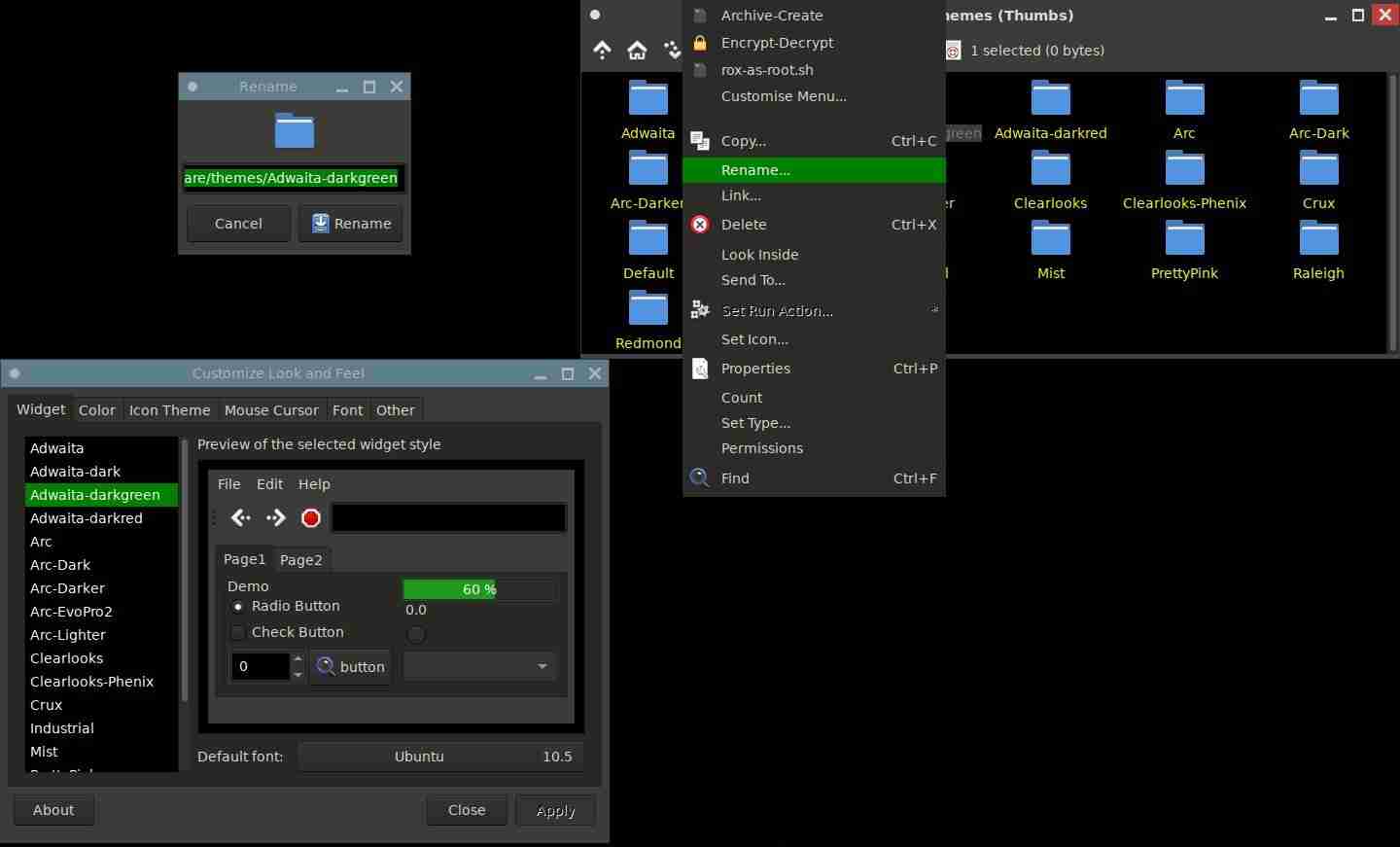
I removed the “Adwaita-darkred” folder, already existing in /usr/share/themes:$ sudo rm -r /usr/share/themes/Adwaita-darkredI downloaded “Adwaita-darkred_R3.zip” & “theme-highlight-changer-1.zip” and I extracted them into my Downloads folder.
I moved the new (extracted) “Adwaita-darkred” folder into /usr/share/themes:$ sudo mv $HOME/Downloads/Adwaita-darkred /usr/share/themes/Adwaita-darkredI moved the (extracted) “theme-highlight-changer.sh” into my $HOME folder and ran:
$ sudo sh theme-highlight-changer.shNow, /usr/share/themes/Adwaita-darkgreen is there! I selected it via LXAppearance (Control Centre > Desktop > Customize Look and Feel) and I like it much!
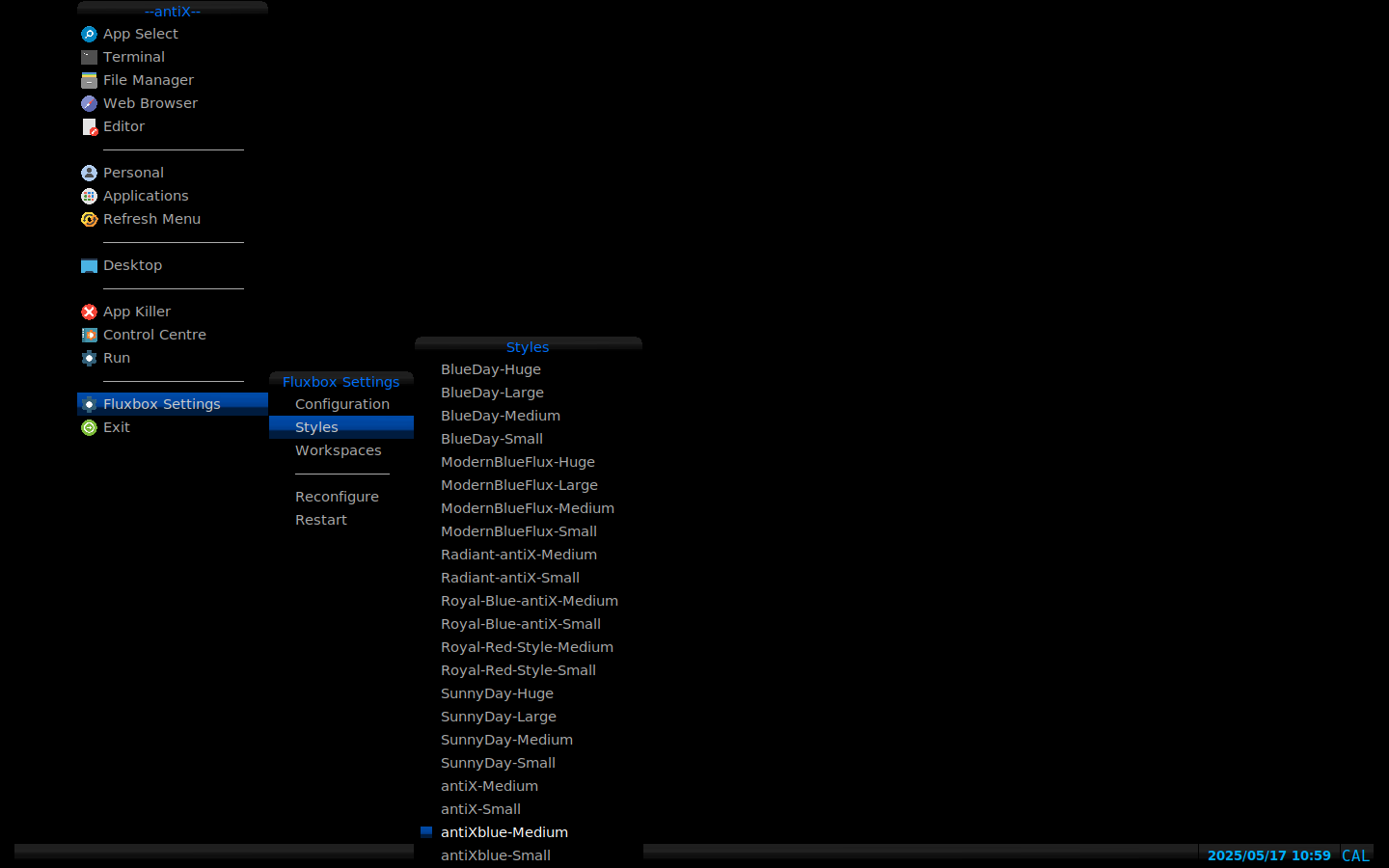
Thanks, again.P.S.: I use (minimal) fluxbox and haven’t downloaded any “DarkDays” theme, so the script modified nothing into IceWM’s Themes menu.
- This reply was modified 1 year, 4 months ago by andfree.
- This reply was modified 1 year, 4 months ago by andfree.
Attachments:
antiX utilities for processing PDF files (posted by ChPol)
May 16, 2025 at 9:39 am #177013MemberThe Adwaita-darkgreen is nice, and looking good with fluxbox, too. Thanks for the screenshot and original suggestion, @andfree.
I’ve been entertaining myself with the theme-highlight-changer.sh script, making lots if variants that I’m sure I’ll never use, just to see what they look like. Aside from red, wwhich is sttill my favorite, green does look the best so far to me.
Even though it was really only intended to modify Adwaita-darkred and/or DarkDays, the script can potentially work with other themes if you get the right “old” hex values to feed it. I found it works pretty well for the PrettyPink themes, for example.
Attached is a new version of the script with a couple small changes and a block of variables that can be uncommented if you want to modify PrettyPink’s highlight color.
Attachments:
"--"
May 17, 2025 at 3:33 am #177075MemberAside from red, which is still my favorite, green does look the best so far to me.
I think I have some “theory” about.
I use Adwaita-darkred for about half of a year and I like it.
Still I do (like it). I find red emotionally attractive.
I would like to try a “darkgreen” version (…) if it would be more relaxing for the eyes
I think it is. And there could be an evolutionary explanation. Ancestors lived in forests for so long.
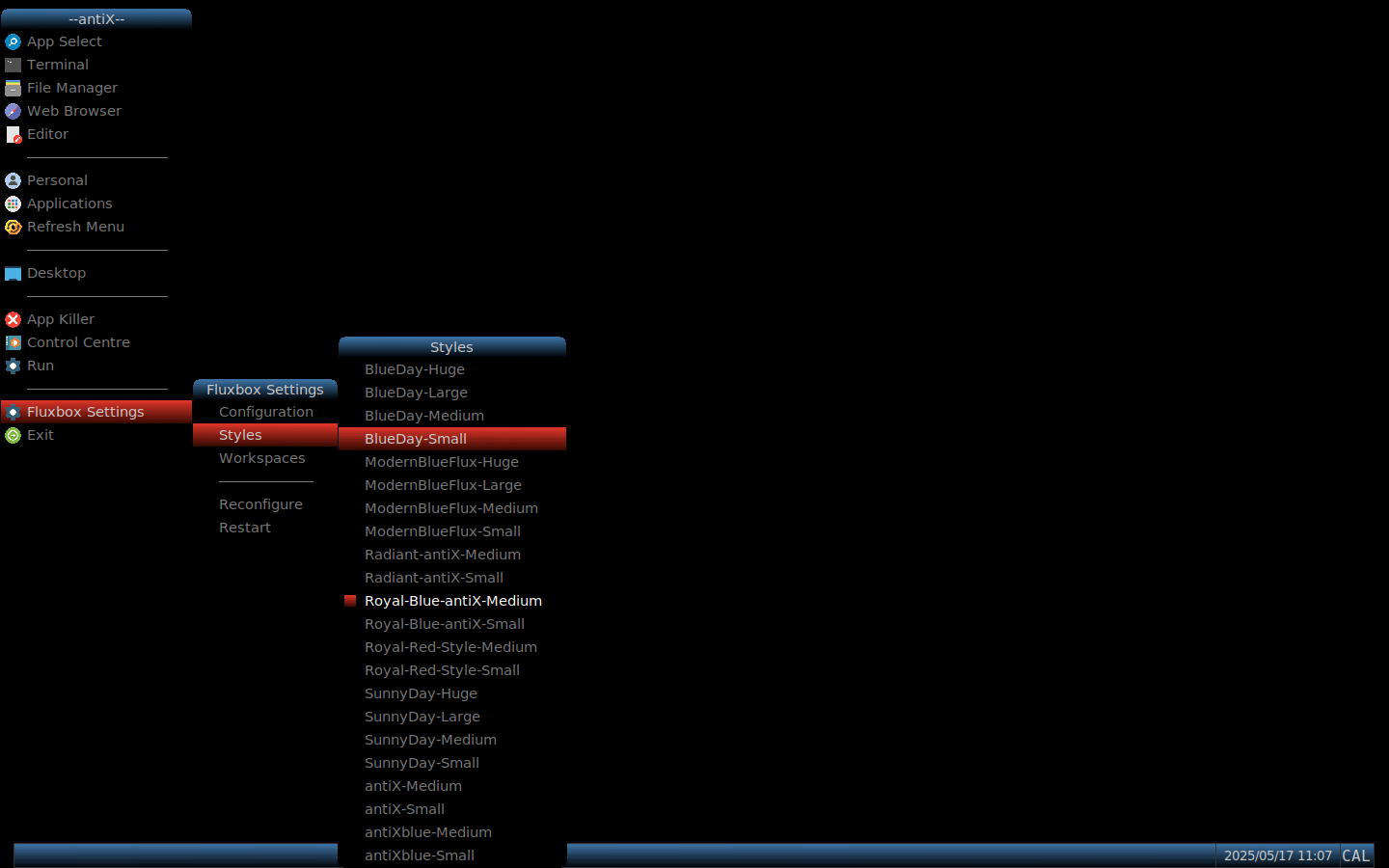
I generally tend to make all my backgrounds black (energy saving) and texts cold colored, mostly green (eye relaxing).Well, I finally decided to give a try to DarkDaysDX-darkgreen theme in IceWM. I like it, but I prefer darker ones in fluxbox, as antiXblue or Royal-Blue-antiX. However, I would like better some green version(s) of them.
EDIT: I wouldn’t like to “pollute” this topic more with my own wishes, so I created a new one. Sorry for abusing your generosity, @anti-apXos.
- This reply was modified 1 year, 4 months ago by andfree.
- This reply was modified 1 year, 3 months ago by andfree.
- This reply was modified 7 months ago by andfree.
antiX utilities for processing PDF files (posted by ChPol)
November 12, 2025 at 9:38 pm #190261MemberHere’s a sneak preview of what I’m currently working on in the Adwaita-darkred and DarkDays themes.
The next version will have GTK4 support, including themed libadwaita apps, which is not common and officially discouraged by GNOME devs (but fuck them, eh). I’m not ready to release this quite yet, but here’s a screenshot showing EasyEffects and Celluloid, which are both GTK4/libadwaita in the upcoming antiX-25 release. I’ll try to post these updated versions of the themes when antiX-25 final is out.
Note that not only are the colors themed to match the GTK2/3 versions of Adwaita-darkred, but I’ve ditched libadwaita’s client-side decorations (sort of) and re-added titlebar and borders managed by IceWM. Also got rid of the black borders around menus when not using a compositor. So really, GTK4 and libadwaita apps can fit right in. They’re still resource hogs and poorly designed, in my opinion, but at least if you have to use one or two, it’s not so bad.
- This reply was modified 10 months, 2 weeks ago by anti-apXos.
"--"
-
AuthorPosts





- You must be logged in to reply to this topic.